

Pixop Coupon - ✅ 100% Verified Deals October 2026
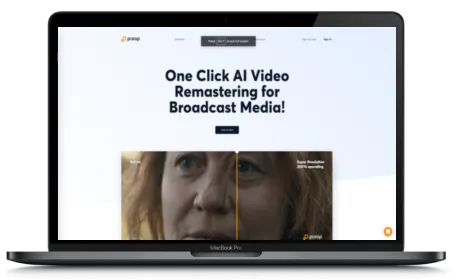
Pixop is the #1 AI-powered video quality tool for broadcasters, media companies, and content owners who want to deliver UHD HDR from existing HD pipelines - without costly infrastructure upgrades.
Welcome to this in-depth Pixop review where I cover all the key features, solutions, and how you can get the best deal or promo when signing up. You will learn about Pixop LIVE, Pixop FILE, and Pixop Studio, and how each one fits into your existing media workflow.
Keep in mind that Pixop is built specifically for professional broadcast and VOD workflows. If you are looking for a consumer-grade video editor, this is not it - Pixop is designed for media professionals who need real, scalable AI video processing.

Table of contents
- Pixop Review - What Is Pixop and Who Is It For?
- Pixop LIVE - Real-Time AI Video Conversion for Broadcasters
- Pixop FILE - AI Upscaling and Restoration for VOD Archives
- Pixop Studio - Browser-Based Cloud Video Enhancement
- Pixop AI Filters - What Processing Options Are Available?
- Pixop Integrations and Workflow Compatibility
- Pixop Pricing - Pay-As-You-Go Plans for Pixop Studio
Pixop Coupons & Promo Highlights 2026
Discover the top Pixop coupon code or deal as of October 18th 2026. Plus, we list all other 0 Pixop coupons, trials and discounts for big discount on your monthly or yearly subscription.
| Pixop Coupon Offers | Pixop Coupon Offer Details | Pixop Promo Code Details |
|---|
🏷️ Pricing Plans
Pixop offers the following pricing plans:
| Feature | Pay-as-you-go |
|---|---|
| Price (monthly billing) | $0 |
| Price (yearly billing/mo) | $0/mo |
| Price (yearly total) | $0 |
| Yearly savings/mo | $0 |
| Yearly savings | $0 |
| Coupon Code/Discount | n/a |
| Video processing | $0.001-$0.551/gigapixel |
| Video encoding | $0.007-$0.136/gigabyte |
| Storage | $0.023/GB/month |
| Download | $0.090/GB |
| Volume discounts | Yes | Subscribe Now |
Pixop Review - What Is Pixop and Who Is It For?
First of all, Pixop is an AI-powered video processing tool built for broadcasters, content owners, and media technology providers. It sits directly inside your existing workflow and converts HD SDR content into UHD HDR quality - without requiring you to replace your current infrastructure. That alone makes it stand out from most video processing solutions out there.
Beyond that, Pixop works across three main use cases - live streaming, file-based VOD archives, and cloud-based studio processing. So whether you are running a live sports broadcast or remastering an old archive of VOD content, Pixop has a solution that fits.
What I like about Pixop is how clearly it is positioned for professional media teams. It is not trying to be everything to everyone - it focuses on one thing and does it very well.
Pixop LIVE - Real-Time AI Video Conversion for Broadcasters
Moving on to the first major solution, Pixop LIVE is designed for real-time video conversion. It is built for broadcasters who need to deliver high-quality live video for sports, news, and events without adding heavy processing delays.
- Converts HD SDR to UHD HDR in real time
- Ultra-low latency processing - no noticeable delay in the live feed
- Slots in before your delivery encoding stage - no pipeline changes needed
- Built for live sports, news broadcasts, and major live events
- Works with your existing broadcast setup without infrastructure upgrades
In other words, if you are a broadcaster running HD pipelines and want to deliver UHD quality to your viewers without rebuilding your entire setup, Pixop LIVE is exactly what you need.
Pixop FILE - AI Upscaling and Restoration for VOD Archives
Next up is Pixop FILE, which is focused on file-based video processing. This solution helps media companies monetize and remaster their VOD archives using AI upscaling and restoration - all without touching their existing infrastructure.
- AI-powered upscaling and restoration for archive content
- Runs via a REST API on AWS - making it scalable and easy to integrate
- Delivers UHD-quality output from SD and HD source files
- No hardware upgrades needed - fully cloud-based processing
- Ideal for content owners looking to re-release or monetize older content libraries
Personally, I think this is one of the most underrated features Pixop offers. A lot of media companies are sitting on massive libraries of HD or SD archive content that could be selling at much higher rates if it were available in 4K UHD. Pixop FILE makes that possible without a huge capital investment.
Pixop Studio - Browser-Based Cloud Video Enhancement
Then there is Pixop Studio, which is the most accessible of the three solutions. It is a cloud-based browser app that lets you apply AI video filters directly from your browser - no hardware, no technical setup required.
- Fully browser-based - no software installation needed
- Apply AI filters including deinterlacing, denoising, and upscaling to 4K
- Fast and flexible for individual projects or smaller workflows
- No technical expertise required to get started
- Pay only for what you process, store, and download
If you are a content creator or a smaller media team that does not need a full enterprise API setup, Pixop Studio gives you access to the same AI processing power through a simple browser interface. That accessibility is something I really appreciate about Pixop - you do not need to be a developer to use it.
Pixop AI Filters - What Processing Options Are Available?
Furthermore, Pixop comes with a range of AI-powered video filters that you can apply depending on your content type and output goals. These filters are the core of what makes Pixop's video quality so impressive.
- AI Upscaling - scales video up to 4K UHD resolution
- Deinterlacing - removes interlacing artifacts from older content
- Denoising - reduces visual noise in low-quality or archive footage
- HDR Conversion - upgrades SDR content to HDR output
- Restoration filters - repairs and recovers detail in degraded video files
What I like about Pixop here is that these filters are not just generic - they are built specifically for broadcast-grade content, which means the output actually holds up at scale. If you are working with archival footage or live signals like me, that level of precision makes a real difference.
Pixop Integrations and Workflow Compatibility
On top of the core processing features, Pixop is built to fit directly into your existing media workflow. You do not need to rebuild anything or hire a specialist team just to get it running.
- REST API integration for file-based processing via AWS
- Live Converter slots in before the delivery encoding stage
- Works with broadcast pipelines without requiring hardware changes
- Compatible with existing VOD and streaming delivery systems
- Partner program available for technology providers who want to resell or bundle Pixop
Additionally, Pixop offers a partners program for technology providers and system integrators who want to include Pixop's AI video processing in their own products or services. That kind of openness is a big plus for the broadcast technology ecosystem.
Pixop Pricing - Pay-As-You-Go Plans for Pixop Studio
Finally, here is a quick summary of how Pixop Studio pricing works. It follows a pay-as-you-go model - you only pay for what you actually use, with no monthly subscription required for the studio tier.
| Usage Type | Price | Notes |
| Video Processing | $0.001 - $0.551 per gigapixel | Varies by filter and scale; volume discounts apply |
| Video Encoding | $0.007 - $0.136 per gigapixel | Varies by encoder used; discounts apply |
| Storage | $0.023 per GB per month | Charged when total exceeds $10; based on AWS rates |
| Download | $0.090 per GB | Same billing cycle as storage |
For Pixop LIVE and Pixop FILE (archive conversion), pricing is not listed publicly and you will need to book a demo to get a custom quote. Volume discounts are available on processing, and your account also builds a lifetime loyalty bonus over time - which adds 0.2 GP per USD of invoiced processing credits to your discount calculation. No coupon codes are currently listed publicly, but it is worth checking back or reaching out to the Pixop team directly for any available promotions.
As you can see, Pixop is a serious AI video processing tool for broadcasters, VOD platforms, and media professionals who want to deliver better quality without changing their infrastructure - so what are you waiting for? Try Pixop now and see for yourself.
Pixop Coupon Details
| Website | https://www.pixop.com/ |
| Primary Category | AI Video |
| Monthly visits | 62K |
| Affiliate Program | Available |
| Active Coupons/Promotions | 0 |
| Socials |
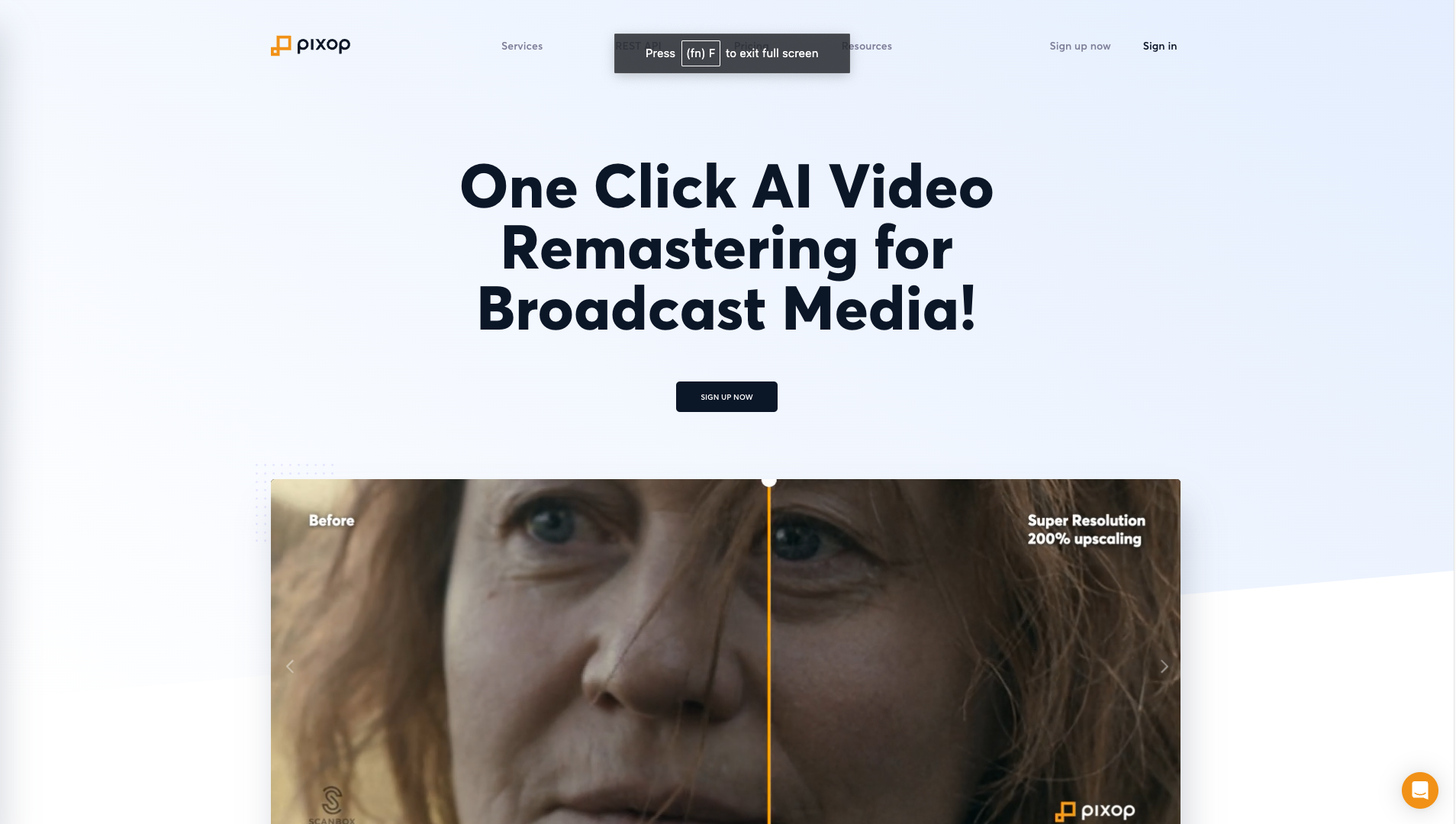
Screenshot of Pixop
FAQ About Pixop Coupons & Deals
How many Pixop coupons can I claim?
💡 You can only enter 1 Pixop coupon per account. Our coupons can be redeemed for an unlimited amount unless specified otherwise, so you can share it with your friends and they will also get the discount or free trial.
Does Pixop offer a freemium plan?
🚫 Unfortunately, Pixop does not offer a freemium plan.
Do you have a Pixop coupon/deal for free credits or a trial?
🚫 Unfortunately, Pixop does not have a coupon that offers you a free trial.
Is there an unlimited plan available for Pixop?
🚫 Unfortunately, Pixop does not have an unlimited plan. However, here are some other tools that do have an Unlimited Plan:
Does Pixop have a yearly discount deal?
🚫 Unfortunately, Pixop does not have a promotion that offers discount when you subscribe to a yearly plan.
Pixop Lifetime deal, does it exist?
🚫 Unfortunately, Pixop does not have any lifetime deal. Any site that claims to have it are bogus. Any Pixop lifetime deal promotion is fake and dishonest sites use it as a bait to get you clicking on their affiliate links.
Is there any special offer or bonus when I sign up for Pixop?
🚫 Unfortunately, Pixop does not have a promotion when you sign up.
Does Pixop have a special promotion for students?
🚫 Unfortunately, Pixop does not have a promotion for students.
Is there an expiry date on the Pixop coupon?
💡 With the exception of season offers, all of our promo deals and coupons for Pixop are available for an unlimited amount of time and do not expire.
Does Pixop offer a money back guarantee?
🚫 Unfortunately, Pixop does not publicly disclose that they have money back guarantee. However, you could still ask them nicely for a refund, if you are not satisfied with their service.
Can I use the Pixop coupon without entering my credit card details?
✅ Yes, you do not need to enter your payment details to take advantage of the free credits/trial.
Am I allowed to share the Pixop coupon with my friend?
✅ Yes, you can share the Pixop coupon with anyone you like and as many times as you want. It is allowed and the coupon is not exclusively for one person.
Can I pay with Paypal for a Pixop subscription?
🚫 No, unfortunately Pixop does not accept PayPal payments.
How can I confirm that the Pixop coupon is valid, without having to pay?
💡 When you enter the coupon, you instantly see a confirmation that it is valid. At this stage, you do not have to enter any payment details. Sometimes, it will immediately show the discount on the page when you open one of our special offer links.
Can I combine Pixop coupons to get more discounts?
🚫 No, you can only use one Pixop coupon at a time. However, you can stack the coupon on a yearly discount to save even more on Pixop.
Does Pixop have an affiliate program?
✅ Yes,you can create an account with Pixop, then verify your email. Once you are logged in, look for the "Affiliate Program" website. Sometimes it's called "Referral Program" or "Partner Program".
I have a question about Pixop, can you help me?
✅ Sure, just submit your question on our contact page and we will get back to you as soon as possible.
Is it possible to submit a coupon or special promotion for Pixop?
✅ Definitely, you can use the form below to submit your coupon for Pixop. We kindly request you to submit only valid coupons. If you are the site owner and would like to be listed with your app/service, you can use the contact form and we'll be in touch with you.
Earn Commissions with the Pixop Affiliate Program
Join the Pixop Affiliate Program by creating an account...More
Join the Pixop Affiliate Program by creating an account, then:
- Verify your email address, and login
- Go to the "Affiliate Program" which you can find in the footer links or under "Account" profile.
- If you can't find it try looking for "Referral Program" or "Partner Program" Less