
Funy AI Coupon - ✅ 100% Verified Deals October 2026
Funy AI is an all-in-one creative platform for AI video generation, image editing, and visual effects - available free with optional VIP access.
Start with 30+ free credits and create and export content without watermarks, no sign-up required.
Enjoy Funy AI for the affordable rate of $25/mo
Deal Activated, no coupon code required!
Enjoy Funy AI for the affordable rate of $25/mo
Expires: N/A
Submitted: 2 days ago

Funy AI Coupons & Promo Highlights 2026
View the best Funy AI coupon code or deal as of October 17th 2026. Plus, we list all other 1 Funy AI coupons, freemium accounts and offers for big savings on your monthly or yearly subscription.
| Funy AI Coupon Offers | Funy AI Coupon Offer Details | Funy AI Promo Code Details |
|---|---|---|
| Funy AI Cheapest Plan | Enjoy Funy AI for the affordable rate of $25/mo | ACTIVATE |
| Start from $25 | ||
🏷️ Pricing Plans
Funy AI offers the following pricing plans:
| Feature | Free |
|---|---|
| Price (one-time payment) | $0 |
| Price (yearly billing/mo) | $0.00/mo |
| Price (yearly total) | $0 |
| Coupon Code/Discount | n/a |
| Free credits | 30+ |
| Watermark-free exports | Yes |
| AI video generation | Yes |
| Image editing tools | Yes |
| No sign-up required | Yes | Subscribe Now |
Billing
What Is Funy AI?
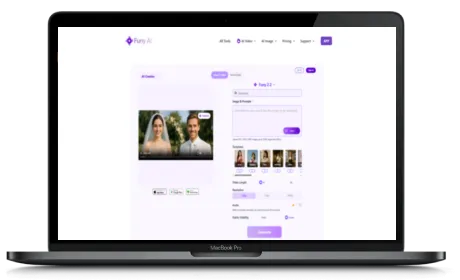
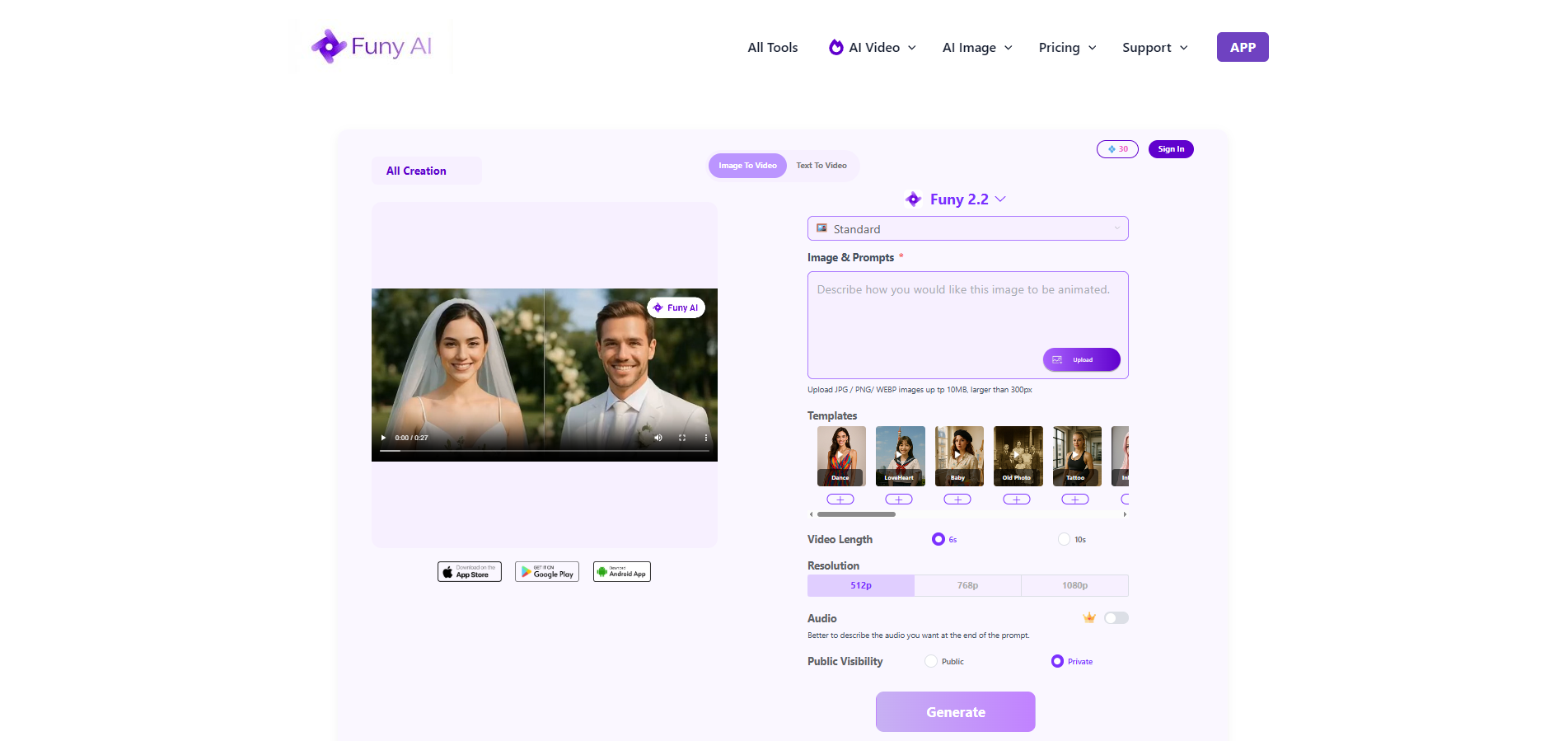
To start, Funy AI is a web, iOS, and Android platform that lets you generate videos from images or text prompts, create AI art, edit photos with various effects, and produce short-form content - all in one place. The platform pulls together multiple AI models including Kling, Seedance, Wan, and Pika for video generation, giving you access to different generation styles without needing separate tools.
Beyond video, Funy AI includes a solid range of image editing features. You can remove backgrounds, upscale low-resolution photos, change hair colors and styles, convert images to sketches, remove watermarks, and apply stylized filters. That range of tools makes it useful whether you are working on creative projects, social media content, or personal photos.
Key Features of Funy AI
Furthermore, here is everything you can do with Funy AI:
- AI Video Generation - Convert images or text prompts to video using Kling, Seedance, Wan, Pika, and other models
- AI Art Generator - Create original artwork from text descriptions
- Background Removal - Remove or replace image backgrounds automatically
- Image Upscaling - Restore and sharpen low-resolution photos
- Hair Style and Color Changer - Try new hairstyles or colors on any portrait
- Style Filters - Apply Studio Ghibli, age, pixel, and other artistic filters to images
- Image to Sketch - Turn photos into pencil sketch illustrations
- Unblur and Watermark Remover - Fix blurry photos and clean image noise
- Video Templates - Pre-built dance, transformation, and animation templates for quick content creation
- Cross-Platform - Available on web, iOS, and Android
If you are into creative content like me, the multi-model video generation is a real standout. Switching between Kling, Seedance, and Pika in one platform means you match the right model to the right kind of video without juggling multiple subscriptions.
Who Is Funy AI Built For?
Funy AI works particularly well for social media creators who need fast, visually engaging content without a professional production setup. The video templates speed up short-form content creation significantly, and the free tier lets you start without any upfront cost.
Likewise, e-commerce merchants can use the background removal and image enhancement tools for product photography, and designers can use the AI art and filter tools for quick concept work. The broad feature set means you are unlikely to hit a wall on any standard creative task.
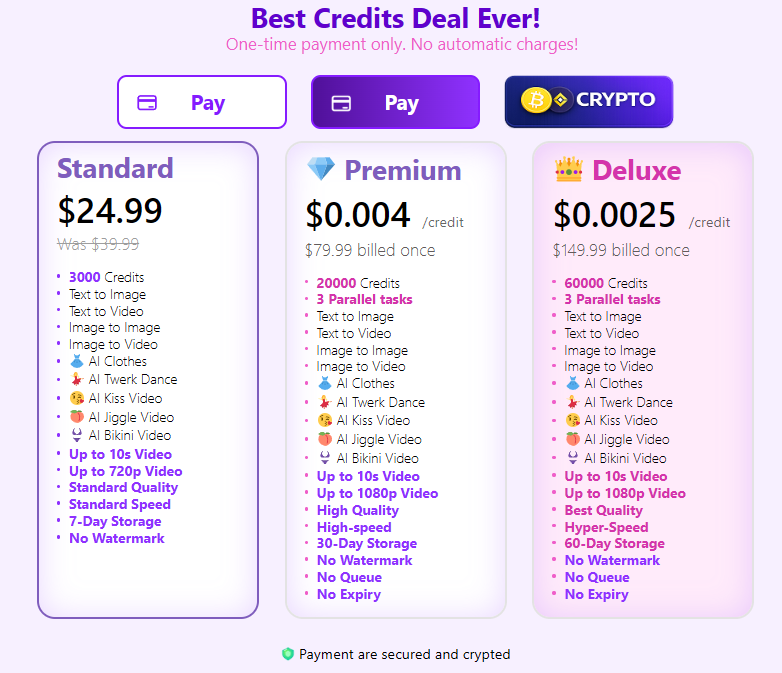
Funy AI Pricing: Free Tier and VIP Access
Funy AI gives you 30+ free credits to start creating right away - no sign-up required. The free tier lets you generate and export content without watermarks, which is a generous way to get hands-on with the platform before committing (see pricing table above).
For users who want more credits and access to the full feature set, Funy AI offers a VIP upgrade as a one-time payment - no monthly subscription required. You pay once and keep access without recurring charges, which is a refreshing contrast to the subscription model most tools in this space use.
So if you need an all-in-one AI creative tool for video and image work, try Funy AI for free now and see what you can create.
Funy AI Coupon Details
| Website | https://funy.ai/ |
| Primary Category | AI |
| Secondary Category | AI Video |
| Monthly visits | 438K |
| Affiliate Program | Available |
| Active Coupons/Promotions | 1 |
| Socials |
Screenshot of Funy AI
FAQ About Funy AI Coupons & Deals
How many Funy AI coupons can I claim?
💡 You can only enter 1 Funy AI coupon per account. Our coupons can be redeemed for an unlimited amount unless specified otherwise, so you can share it with your friends and they will also get the discount or free trial.
Does Funy AI offer a freemium plan?
🚫 Unfortunately, Funy AI does not offer a freemium plan.
Do you have a Funy AI coupon/deal for free credits or a trial?
🚫 Unfortunately, Funy AI does not have a coupon that offers you a free trial.
Is there an unlimited plan available for Funy AI?
🚫 Unfortunately, Funy AI does not have an unlimited plan. However, here are some other tools that do have an Unlimited Plan:
Does Funy AI have a yearly discount deal?
🚫 Unfortunately, Funy AI does not have a promotion that offers discount when you subscribe to a yearly plan.
Funy AI Lifetime deal, does it exist?
🚫 Unfortunately, Funy AI does not have any lifetime deal. Any site that claims to have it are bogus. Any Funy AI lifetime deal promotion is fake and dishonest sites use it as a bait to get you clicking on their affiliate links.
Is there any special offer or bonus when I sign up for Funy AI?
🚫 Unfortunately, Funy AI does not have a promotion when you sign up.
Does Funy AI have a special promotion for students?
🚫 Unfortunately, Funy AI does not have a promotion for students.
Is there an expiry date on the Funy AI coupon?
💡 With the exception of season offers, all of our promo deals and coupons for Funy AI are available for an unlimited amount of time and do not expire.
Does Funy AI offer a money back guarantee?
🚫 Unfortunately, Funy AI does not publicly disclose that they have money back guarantee. However, you could still ask them nicely for a refund, if you are not satisfied with their service.
Can I use the Funy AI coupon without entering my credit card details?
✅ Yes, you do not need to enter your payment details to take advantage of the free credits/trial.
Am I allowed to share the Funy AI coupon with my friend?
✅ Yes, you can share the Funy AI coupon with anyone you like and as many times as you want. It is allowed and the coupon is not exclusively for one person.
Can I pay with Paypal for a Funy AI subscription?
🚫 No, unfortunately Funy AI does not accept PayPal payments.
How can I confirm that the Funy AI coupon is valid, without having to pay?
💡 When you enter the coupon, you instantly see a confirmation that it is valid. At this stage, you do not have to enter any payment details. Sometimes, it will immediately show the discount on the page when you open one of our special offer links.
Can I combine Funy AI coupons to get more discounts?
🚫 No, you can only use one Funy AI coupon at a time. However, you can stack the coupon on a yearly discount to save even more on Funy AI.
Does Funy AI have an affiliate program?
✅ Yes,you can create an account with Funy AI, then verify your email. Once you are logged in, look for the "Affiliate Program" website. Sometimes it's called "Referral Program" or "Partner Program".
I have a question about Funy AI, can you help me?
✅ Sure, just submit your question on our contact page and we will get back to you as soon as possible.
Is it possible to submit a coupon or special promotion for Funy AI?
✅ Definitely, you can use the form below to submit your coupon for Funy AI. We kindly request you to submit only valid coupons. If you are the site owner and would like to be listed with your app/service, you can use the contact form and we'll be in touch with you.
Earn Commissions with the Funy AI Affiliate Program
Commission Structure:
Join the Funy AI Affiliate Program by creating an account, then:
- Verify your email address, and login
- Go to the "Affiliate Program" which you can find in the footer links or under "Account" profile.
- If you can't find it try looking for "Referral Program" or "Partner Program" Less
Loading comments....